


Choosing the right foundation for your data center is a critical decision for any modern business. In Hong Kong’s fast-paced and competitive digital economy, this choice directly impacts operational efficiency, scalability, and long-term IT strategy. Two primary solutions dominate this landscape, each offering a distinct path to managing your virtual infrastructure.
ReadySpace provides enterprise-grade virtualization solutions tailored for businesses in Hong Kong. We understand the unique pressures and opportunities facing local organizations. This guide offers a professional analysis to help you navigate this complex and vital technology choice.
We will examine the core differences between a popular open-source environment and a well-established commercial suite. Our goal is to provide clarity, empowering you to make an informed decision that aligns with your specific performance needs and budgetary considerations.
Key Takeaways
- Selecting a virtualization platform is a strategic decision that affects your business’s agility and cost structure.
- Hong Kong companies must evaluate their specific requirements for performance, security, and growth.
- Open-source and commercial solutions offer different advantages in terms of cost, support, and features.
- Operational efficiency and long-term IT strategy are heavily influenced by your chosen infrastructure.
- A detailed, professional analysis is essential for making an informed technology investment.
- Local expertise, like that from ReadySpace, can provide crucial insights for the Hong Kong market.
- The right choice supports evolving business needs in a highly competitive environment.
Introduction: Virtualization Trends for Hong Kong Businesses
Hong Kong’s dynamic business environment is witnessing a pivotal shift in how companies approach their core IT infrastructure. A key driver is the 2025 acquisition of VMware by Broadcom, which led to significant price hikes—reportedly between two to five times previous rates—for many existing customers.
This market change forces a strategic rethink. Organizations, especially small and medium-sized enterprises, now actively explore alternatives to control rising operational cost pressures. Reducing reliance on a single vendor has become a strategic imperative.
Consequently, detailed platform comparisons are a central topic for IT leaders. The goal is to optimize budgets without compromising on system reliability or performance. Industry trends show a clear move towards flexible, open-source solutions to avoid future licensing shocks.
For local enterprises, this means evaluating sustainable and scalable virtualization paths more carefully than ever. A professional proxmox vmware analysis is crucial for this decision. Tailored local expertise, such as enterprise-grade Proxmox HCI solutions, can provide the resilience Hong Kong businesses need.
Understanding Proxmox and ReadySpace for Enterprise Virtualization
A strategic approach to IT infrastructure begins with a deep understanding of the available platforms. This knowledge is vital for building a resilient and efficient data center tailored to your organization’s unique demands.
What is Proxmox and How Does It Support ReadySpace?
Proxmox Virtual Environment (VE) is a powerful, open-source server management platform. It is built on Debian Linux and integrates the KVM hypervisor with Linux Containers (LXC). This combination allows it to handle both virtual machines and containerized applications within a single, unified interface.
ReadySpace harnesses this flexible foundation to deliver customized solutions. We tailor the environment to meet the specific performance and scalability needs of clients across Hong Kong.
The strength of an open-source platform lies in its adaptability and community-driven innovation, providing a solid alternative to traditional commercial suites.
Key Features and Benefits for Hong Kong Users
The platform’s integrated design offers distinct advantages for local businesses. Key features provide enterprise-grade capabilities that were once only available at a premium.
Hong Kong organizations gain greater control over their hardware and software update cycles. This transparency is crucial for maintaining operational security and cost predictability.
| Feature | Description | Benefit for Hong Kong Users |
|---|---|---|
| Built-in Clustering | Enables multiple servers to be managed as a single pool of resources. | Enhances system reliability and simplifies scaling for growing businesses. |
| High Availability | Automatically restarts virtual machines on another node if a host fails. | Minimizes downtime, ensuring continuous operation for critical services. |
| Unified Management | Manages VMs and containers from a single web-based interface. | Streamlines administration, reducing complexity and training needs for IT teams. |
| Storage Flexibility | Supports a wide variety of local and network storage backends. | Allows integration with existing infrastructure, protecting previous investments. |
By leveraging these features, companies can achieve a robust and cost-effective operational model. This approach supports diverse enterprise environments without vendor lock-in.
VMware ESXi Overview: The Enterprise Virtualization Standard
When mission-critical applications demand unwavering stability, IT leaders often turn to a long-established virtualization standard. This platform has defined reliability for corporate data centers over many years.
Core Capabilities and Management Tools
As a bare-metal hypervisor, it installs directly onto server hardware. Its mature ecosystem includes vCenter Server for centralized control of complex virtualized infrastructure.
The platform delivers robust performance for demanding workloads. Recent versions support virtual machines with up to 768 vCPUs and 24TB of RAM.
Enterprises depend on this stability for applications requiring maximum uptime. Predictable behavior under heavy load is a key reason for its widespread adoption.
A secure microkernel architecture minimizes security risks. Furthermore, extensive hardware certification ensures optimal operation across server configurations.
For organizations needing a comprehensively supported solution, vmware offers a proven path for complex environments.
User Interface and Management Tools Comparison
The ease of managing your virtual environment hinges significantly on the design and capabilities of its administrative interface. A well-designed web interface reduces training time and minimizes errors.
Hong Kong IT teams need efficient tools to maintain complex systems. The right management approach can dramatically boost operational agility.
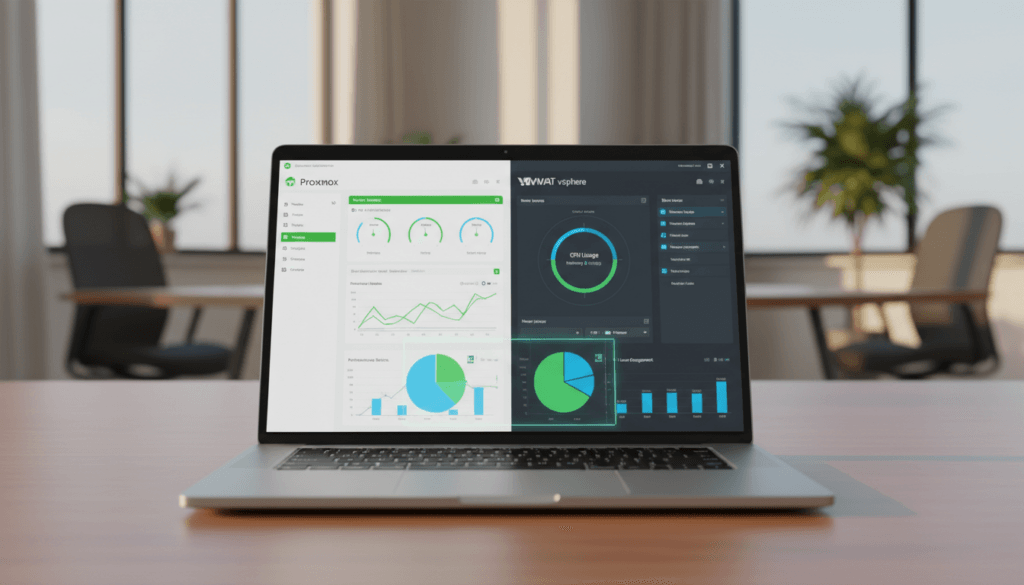
Proxmox’s Web Interface and Command-Line Options
This open-source platform provides a comprehensive, browser-based dashboard. It includes a dark mode for reduced eye strain during long sessions.
Administrators gain full access to cluster functions without extra management servers. The integrated REST API supports advanced automation for repetitive tasks.
Command-line control offers granular power for scripting and integration. This flexibility is ideal for teams comfortable with Linux environments.
VMware vSphere Client and Centralized Management
The commercial suite uses a polished HTML5 client for day-to-day operations. It connects seamlessly to a central vCenter Server for overseeing large deployments.
This system provides a wizard-driven approach for configuring storage and networks. It guides users through complex setups step-by-step.
Centralized control is a hallmark, offering a single pane of glass for the entire infrastructure. This is crucial for enterprises with strict compliance needs.
| Management Aspect | Proxmox VE Approach | VMware vSphere Approach |
|---|---|---|
| Primary Interface | Unified web-based dashboard | vSphere Client (HTML5) |
| Automation | Full REST API & command line | PowerCLI & vSphere API |
| Deployment Complexity | Integrated, all-in-one package | Requires separate vCenter for full features |
| Learning Curve | Straightforward for basic tasks | Wizard-guided for advanced configurations |
Choosing between these platforms involves evaluating your team’s skills and operational preferences. A detailed proxmox vmware analysis helps clarify which management philosophy fits best.
Proxmox vs VMware: Core Comparisons Featuring “proxmox vs vmware”
Directly comparing the core technical and financial aspects of two leading platforms reveals the strategic trade-offs every IT decision-maker must evaluate. This analysis moves beyond features to examine operational efficiency and total cost of ownership.
Performance, Scalability, and Resource Allocation
A key differentiator is automated resource management. The commercial suite includes a Distributed Resource Scheduler (DRS) for intelligent load balancing across hosts.
The open-source alternative *currently lacks* a native equivalent to DRS. It counters with robust support for live migration and built-in clustering, ensuring solid performance for small to medium deployments.
Licensing, Cost, and Subscription Models
The financial models present a stark contrast. One platform operates on a free-to-use basis with optional paid support subscriptions.
The other requires tiered per-core or per-CPU licensing. This can lead to annual cost commitments reaching tens of thousands of dollars, a significant factor for budget-conscious firms.
| Comparison Area | Proxmox VE | VMware vSphere |
|---|---|---|
| Resource Scheduling | Manual load balancing; supports live migration | Automated DRS for optimal performance |
| High Availability | Integrated HA clustering | Advanced HA with policy controls |
| Licensing Model | Free / Subscription-based | Perpetual or Subscription (per CPU/core) |
| Primary Cost Driver | Optional enterprise support | Licensing tiers and support contracts |
Integration and Ecosystem: Aligning with Enterprise Requirements
The strength of a virtualization platform often lies in its surrounding ecosystem and the support available for integration. For Hong Kong enterprises, this external network of tools and knowledge directly impacts operational resilience and scalability.
A robust environment connects seamlessly with third-party software and leverages collective expertise. This ensures businesses can adapt their infrastructure to meet specific demands without vendor constraints.
Third-Party Tools and Community Support
One platform benefits from a vast, mature ecosystem of certified integrations refined over decades. This includes comprehensive backup and disaster recovery solutions from established vendors.
The alternative offers a rapidly expanding set of compatible tools. Modern solutions like Hornetsecurity VM Backup now provide native support for protecting data in production environments.
Active community support is a hallmark of the open-source option. Forums, wikis, and shared scripts enable users to troubleshoot issues and develop custom extensions.
This collective knowledge base is invaluable for Hong Kong IT teams. It allows for cost-effective problem-solving and innovation tailored to local needs.
| Integration Aspect | Ecosystem Strength | Support Channel |
|---|---|---|
| Third-Party Software | Extensive certified partner network | Vendor-provided integration guides |
| Backup Solutions | Native support from specialists like Hornetsecurity | Community-tested configurations and scripts |
| Knowledge Resources | Official documentation and training | Active user forums and collaborative wikis |
When conducting a proxmox vmware analysis, evaluating this ecosystem is crucial. Effective backup strategies rely on these external tools for data resilience.
The choice influences long-term flexibility. A strong community support system can significantly reduce dependency on paid technical assistance.
Storage and Backup Strategies Comparison
A robust virtualization strategy is incomplete without a detailed plan for safeguarding your most critical asset: data. The chosen platform’s approach to storage and backup defines its resilience and operational security.
Hong Kong businesses must evaluate how each solution protects information against loss. This analysis covers core features for data integrity and recovery.
Proxmox Storage Flexibility and Backup Options
The open-source platform offers remarkable storage flexibility. It supports local disks, ZFS, NFS, iSCSI, and distributed systems like Ceph for scalable environments.
This variety allows seamless integration with existing infrastructure. For backup strategies, the integrated Proxmox Backup Server simplifies the process.
It provides efficient incremental backups and strong data integrity verification. This creates a cohesive, cost-effective protection system.
VMware vSAN, Backup Integrations, and Disaster Recovery
The commercial suite utilizes vSAN for hyperconverged infrastructure. It transforms local server storage into a shared, enterprise-grade pool.
vSAN includes advanced features like deduplication and replication for critical data. For protection, it relies on vStorage APIs for Data Protection.
This framework allows third-party backup software to create consistent snapshots. Comprehensive disaster recovery often requires these specialized tools.
| Strategy Component | Proxmox VE Approach | VMware vSphere Approach |
|---|---|---|
| Primary Storage Model | Flexible, supports many protocols & Ceph | Hyperconverged via vSAN |
| Native Backup Solution | Integrated Proxmox Backup Server | vStorage APIs for third-party integration |
| Disaster Recovery Focus | Integrated verification & simplicity | Advanced features via partner ecosystem |
Both platforms offer robust data protection. The implementation complexity and associated costs, however, vary significantly, a key point in any proxmox vmware comparison.
Migration and Hybrid Strategies for Seamless Transition
For Hong Kong businesses, adopting a hybrid or multi-platform approach can unlock greater flexibility and cost efficiency. A strategic migration plan is essential to leverage these benefits without disrupting operations.
This process requires aligning technical steps with business continuity goals. The right tools and methods ensure a smooth shift between different virtualization platforms.

Migrating from VMware to Proxmox: Best Practices
Moving virtual machines between distinct environments demands careful preparation. The primary goal is to convert vms correctly while minimizing downtime.
A common method involves exporting vms as OVF templates. Administrators must then convert disk formats to be compatible with the new environment.
Specialized software like Acronis Cyber Protect simplifies this migration. Its Universal Restore and VM Convert tools handle workload transitions across physical, virtual, and cloud environments.
Thorough testing in a staging environment is non-negotiable for validating configurations before the final cutover.
These proxmox vmware transitions are increasingly common. Businesses seek to reduce vendor lock-in and gain control over their infrastructure costs.
A successful migration strategy always prioritizes data integrity. Consistency throughout the transition protects business-critical applications.
| Migration Phase | Key Action | Tool/Technique |
|---|---|---|
| Assessment & Planning | Inventory VMs and dependencies | Documentation and compatibility checks |
| Conversion & Export | Create OVF templates and convert disks | VM export utilities, Acronis VM Convert |
| Validation & Testing | Verify functionality in target environment | Staging cluster, Acronis Universal Restore |
| Cutover & Monitoring | Execute live migration and monitor performance | Scheduled downtime, integrated monitoring tools |
Following these structured phases reduces risk. It ensures your new virtual environment is stable and performant from day one.
Tailoring Virtualization Solutions to Organizational Needs
Every organization’s journey to optimal infrastructure is unique. It demands a solution that fits its current size and future ambitions. The right choice balances technical capabilities with financial reality.
This decision hinges on specific operational scale and in-house expertise. A detailed analysis of workload requirements and growth projections is essential.
Use Cases for Small to Medium Businesses
Small to medium organizations often need robust but cost-effective platforms. They require core capabilities to run production workloads reliably.
The open-source platform provides powerful clustering for scaling. A subscription for a 3-node cluster typically costs under $1,000 per year.
This represents a fraction of the expense of commercial alternatives. It allows these businesses to allocate resources to other critical areas.
Enterprise Requirements and Complex Deployments
Large enterprises manage complex, global deployments. Their workloads demand advanced automation and refined resource management.
They often prefer the mature ecosystem of the commercial suite. This is despite higher subscription costs and intricate licensing models.
The most strategic decisions are not about features alone. They are about aligning platform philosophy with organizational culture and risk tolerance.
These organizations must support thousands of virtual machines. They need guaranteed performance for mission-critical applications.
| Consideration | Small to Medium Business Focus | Enterprise Focus |
|---|---|---|
| Primary Driver | Cost predictability & operational simplicity | Ecosystem maturity & advanced automation |
| Scalability Model | Add nodes to a cluster as needs grow | Managed, policy-based resource allocation |
| Financial Model | Low annual subscription for support | Significant investment in licensing & support |
| Technical Expertise | Leverages in-house Linux skills | Relies on dedicated vendor support channels |
Ultimately, the proxmox vmware decision should match your team’s skills. It must also support the specific performance needs of your critical workloads.
Conclusion
The path to an optimized IT foundation is not a one-size-fits-all proposition. Your final decision must balance budget, technical expertise, and long-term strategic goals.
One platform offers exceptional cost-efficiency and flexibility for mixed workloads. It provides robust features well-suited to modern IT environments.
The alternative remains the enterprise standard, delivering a mature ecosystem and extensive support. It excels in complex, mission-critical virtualization.
Regardless of your choice, a comprehensive backup and disaster recovery plan is non-negotiable. It protects your core data and ensures operational resilience.
Many Hong Kong businesses now leverage a hybrid approach. This optimizes performance and cost across different virtualization platforms.
We recommend a thorough evaluation of your infrastructure needs. Determine if open-source freedom or enterprise-grade assurance serves you best in the proxmox vmware landscape.