


In 2026, over 40% of CMS breaches will originate from unpatched third-party plugins. This alarming statistic highlights a growing threat that cannot be ignored. For CTOs and CISOs, it is no longer just about routine IT maintenance. Ignoring updates poses a significant financial and compliance risk.
With WordPress powering over 40% of the web, the platform is a prime target for malicious actors. In 2024 alone, reported vulnerabilities in the ecosystem surged by 68%. This upward trend is alarming, especially considering that over 90,000 attacks are attempted on WordPress sites every minute.
The average cost of a global hack now stands at a staggering $4.88 million USD. Therefore, organizations must shift from reactive measures to a proactive security posture. Relying solely on basic plugins is insufficient for high-traffic websites. Implementing enterprise-grade security best practices is essential to defend against modern threats.
Key Takeaways
- Recognize the significant increase in vulnerabilities as a major risk factor.
- Understand the financial implications of cyberattacks on organizations.
- Shift from reactive patching to proactive security measures.
- Basic plugins are not enough for high-traffic websites.
- Prioritize robust access controls and continuous monitoring.
Introduction: The 2026 WP Security Landscape
Over 43% of all websites rely on WordPress, making it an attractive target for cybercriminals. While the platform itself is robust, most breaches occur due to lax configurations and outdated plugins. Thus, CTOs must enforce strict infrastructure hygiene and proactive oversight.
Research shows that security risks primarily arise from poor server configurations and the use of outdated plugins. To combat these vulnerabilities, enterprise-ready security requires a culture of discipline. Teams should define standards that scale with the business’s digital growth and traffic demands.
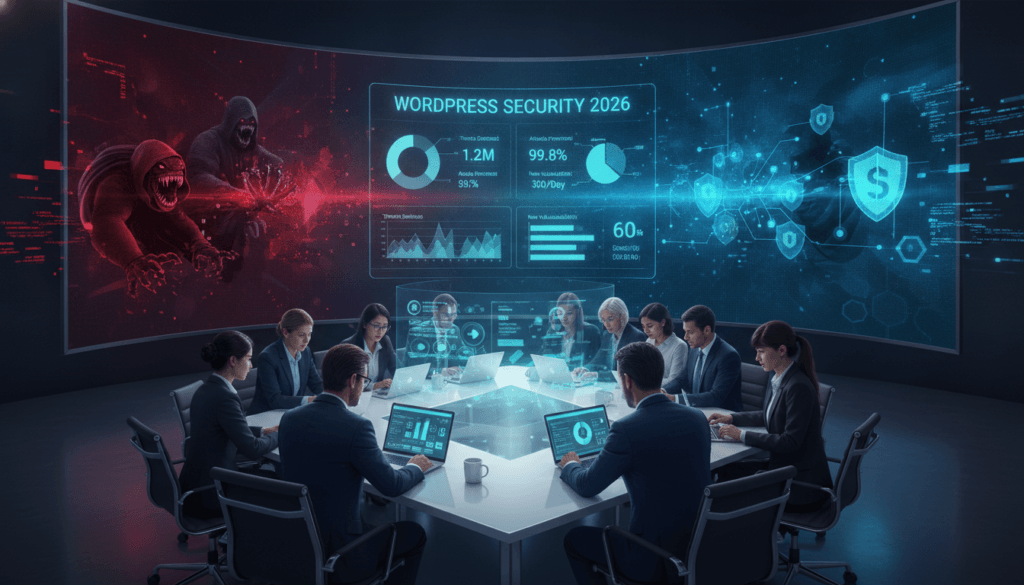
Moreover, CTOs must champion the automation of updates for core, plugins, and themes. This minimizes the attack surface available to malicious actors. Implementing off-site backups and regularly testing recovery processes can help organizations maintain resilience against sophisticated attacks.
| Security Measure | Description | Importance |
|---|---|---|
| Automated Updates | Regularly updates core, plugins, and themes. | Reduces vulnerabilities. |
| Off-Site Backups | Backup data in a secure location. | Ensures data recovery. |
| Monitoring Tools | Continuous tracking of site activity. | Detects suspicious behavior. |
For more insights on managing these risks, consider exploring managed services.
The Latest Threat Vectors
The rise of plugins has made them a prime target for cyber threats. Industry data confirms that plugins are responsible for 96% of known vulnerabilities. Attackers seek to exploit these weaknesses, making proactive measures essential.
Zero-day exploits are a critical concern. Vulnerabilities like XSS, SQLi, and RCE can be exploited before patches are available. This highlights the need for teams to stay vigilant and prioritize updates.
Supply chain attacks also pose hidden risks. These attacks target upstream developers, allowing malicious code to inherit full permissions within your application. Therefore, strict access checks and dependency scanning in CI/CD pipelines are vital.
| Threat Type | Description | Mitigation |
|---|---|---|
| Zero-Day Exploits | Exploiting unpatched vulnerabilities. | Regular updates and monitoring. |
| Supply Chain Attacks | Compromised third-party code. | Strict access controls. |
| Brute-Force Campaigns | Attacks on public endpoints. | Implementing strong authentication. |
The Business Impact on Enterprises
Cyber threats are evolving, making no organization immune to attacks. Data breaches can have devastating effects on businesses, leading to financial losses and reputational damage. For instance, pharma hacks exploit vulnerabilities in websites to redirect customers to harmful product listings, causing severe SEO poisoning.
The average cost of a global hack is a staggering $4.88 million USD. This financial burden often comes with compliance fines, as organizations struggle to safeguard sensitive user data from unauthorized access. Without adequate security measures, businesses face significant risks that can disrupt operations.
Malicious redirects can inject harmful scripts into vulnerable sites. This not only leads users to questionable links but also exposes them to scams and malware infections. Enterprise leaders must understand that neglecting proper monitoring and updates can lead to long-term business disruptions.
Enterprise WordPress security Best Practices
In the evolving landscape of digital threats, securing user accounts has become a fundamental priority. Compromised accounts trigger most modern security incidents, making it essential to enforce robust access controls.
Implementing two-factor authentication (2FA) adds a vital layer of protection against credential theft and SIM-swapping tactics. Organizations should prioritize the use of authenticator apps or hardware keys over SMS methods to prevent interception by attackers.
Additionally, utilizing Role-Based Access Control (RBAC) helps establish clear boundaries among content teams, developers, and third-party vendors. This limits lateral movement within systems, reducing the risk of breaches.
Regular access reviews and expiring permissions ensure users have only the necessary privileges, adhering to the principle of least privilege. Centralized logging and audit trails allow teams to track administrative actions effectively.
| Best Practice | Description | Benefits |
|---|---|---|
| Two-Factor Authentication | Enhances account security with an additional verification step. | Reduces unauthorized access. |
| Role-Based Access Control | Defines user roles and permissions. | Limits lateral movement. |
| Regular Access Reviews | Periodic checks of user permissions. | Ensures compliance with least privilege. |
Proactive Mitigation Strategies
In today’s interconnected world, the risk of cyberattacks has never been higher. Organizations must adopt proactive measures to safeguard their digital environments. Two effective strategies include implementing a zero-trust model and leveraging automated patching.
Establishing a Web Application Firewall (WAF) helps filter out malicious requests before they reach the application layer. This crucial step protects against various attacks targeting vulnerabilities in plugins and other components.
Additionally, containerized isolation is vital for preventing issues from spreading across a multisite network. Each site operates in its own dedicated environment, minimizing risks.
- Zero-trust models verify every action within the network, ensuring strong identity checks between servers.
- Managed hosting providers should support the latest PHP versions and offer staging environments for testing updates.
- Continuous vulnerability scans allow for timely application of critical server and OS patches.
- Replacing compromised servers with clean ones built from trusted images is essential for maintaining integrity.
- A robust DDoS mitigation layer is necessary to handle traffic spikes without degrading website performance.
Strengthening Plugin Security & Vendor Management
In a world where vulnerabilities are increasingly exploited, plugin management is crucial for protecting websites. Plugins account for a staggering 96% of known vulnerabilities in the CMS landscape. Therefore, it is essential for teams to audit every extension for maintainability and security practices.
Automated dependency scanning in CI/CD pipelines can help flag known CVEs before code moves to production. This proactive approach significantly reduces the risk of supply chain attacks. Additionally, committing dependency lockfiles into version control ensures that every server environment installs the identical package version during the build process.
Third-party code assessment is another vital measure. It requires reviewing package maintainers, checking download history, and inspecting changelogs before adding new dependencies to the codebase. By minimizing reliance on plugins, organizations can reduce the attack surface and improve overall performance.
Optimizing Infrastructure for High-Traffic WP Environments
High-traffic websites face unique challenges that require a balance between speed and robust protection. As more users access your site, the risk of attacks increases. Thus, it is crucial to adopt enterprise-grade hosting solutions that ensure uptime and proactive monitoring.
Integrated Content Delivery Networks (CDNs) play a vital role in enhancing performance. They help your site withstand traffic spikes during attempted attacks. Additionally, image optimization can further improve loading times, keeping users engaged.
Infrastructure hardening is another essential measure. This includes configuring cloud storage to block public access by default. Applying the principle of least privilege to Identity and Access Management (IAM) configurations is also crucial.
For high-demand environments, platforms like WordPress VIP offer built-in security features. These include code reviews and Web Application Firewall (WAF) integrations. Moreover, teams must treat CI/CD platforms as critical infrastructure. Restricting access and mandating peer code reviews can significantly reduce risks.
Conclusion
In an era where online threats are ever-present, safeguarding your digital assets is more crucial than ever. Securing a WordPress environment requires a layered approach that combines proactive infrastructure hardening with continuous monitoring and incident response planning.
Organizations must move beyond basic security plugins to implement comprehensive strategies that address the root causes of modern cyber threats. By maintaining a culture of security awareness among teams, you can effectively prevent common exploits.
Contact our SecOps team today for a comprehensive audit to identify vulnerabilities and strengthen your digital infrastructure against evolving risks. Prioritizing robust access controls and automated updates will empower your organization to scale confidently in the 2026 landscape.